The brain dump app that organizes it for you
Every notes app can hold your brain dump. Ordr is the one that hands it back as a plan — tasks sorted, events scheduled, next move suggested.
Free to try · 15 AI actions included · iPhone + Android
How it works
From full head to clear plan
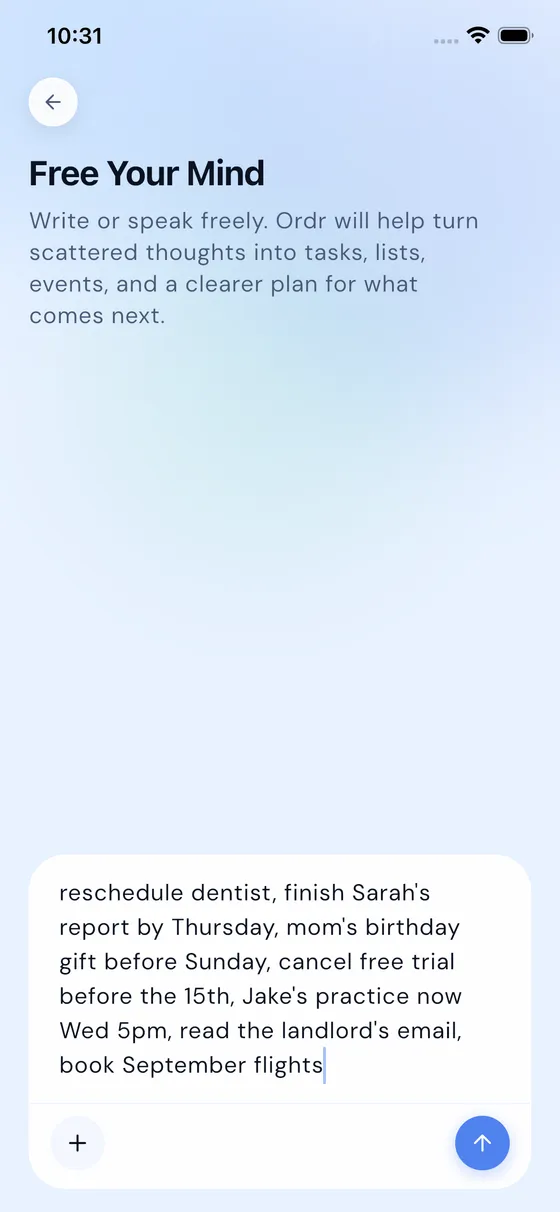
Dump it, messy
Type it, speak it, paste it. Half-sentences and panic lists welcome — no labels, no folders, no decisions at capture time.
AI does the sorting
Ordr turns the mess into tasks and calendar events — what, when, what order — and hands it back for a quick review.
Start with one clear move
Instead of a wall of everything, you get a suggested next action sized to your energy. Dump to doing, in minutes.
Sound familiar?
Built for the moments your head is loudest
FAQ
Brain dump questions
What is a brain dump app?
A brain dump app is a tool for emptying everything on your mind — tasks, worries, ideas — into one place, in whatever messy form it comes out. Ordr goes one step further: after you dump, its AI structures the mess into tasks and calendar events for you, so you review a plan instead of organizing a pile.
How is this different from a notes app?
A notes app stores your dump exactly as messy as you left it — the organizing is still your job, later. Ordr does the organizing: it decides what’s a task, what’s an event, and what order makes sense, then shows you the result to confirm. The dump becomes a plan, not an archive.
Can I brain dump by voice?
Yes — speaking is usually the fastest, loosest way to dump. Talk through whatever’s in your head while walking or driving, and Ordr transcribes and structures it into tasks and events. Nothing stays trapped as an unlistenable voice memo.
Is Ordr free?
Ordr is free to download with 15 AI actions included, so you can try Free Your Mind properly. Unlimited AI is $4.99/month or $44.99/year with a 3-day free trial.
What happens to what I dump?
Your dumps belong to you. Ordr doesn’t sell personal data or use it for ad targeting, AI features are optional and can be disabled in settings, and you can delete your account and data right from the app.
Your head is not a filing cabinet
Dump it. Review the plan. Start with one clear move.